How to Get the Early 2000s Photo Look on the Q6 Max
The DayRoll TeamThe short answer: the early 2000s look comes from a hard flash close to the lens, a small sensor with simple optics, and no editing afterwards. The Q6 Max already does all three out of the box. If you want to push it further, the two easiest levers are turning the resolution down in the settings and trying the built-in filters, sepia included. Taste is personal, so treat everything below as a starting point to play with, not a rule.
If your first few photos look cleaner than you expected, it is usually one of the small habits below.

What actually makes a photo look like 2003?
Not a filter pasted on top. The look of that era came from the hardware people were using:
- A hard, direct flash. The subject lit up bright, the background dropping into darkness, shadows with sharp edges.
- Small sensors and simple lenses. Softer edges, warmer colours, visible grain, a little glow around highlights.
- Low resolution by today's standards. Early 2000s consumer cameras shot a few megapixels. Their files were small and soft, and that softness is part of what reads as "old" now.
- No processing. Nobody ran their photos through an app. What came out of the camera was the photo.
Your phone does the opposite of all four, which is why no preset ever quite gets there. The Q6 Max is built with a small sensor, simple optics and no computational processing, so the starting point is already right. The settings below are about fine-tuning it to your taste.
1. Try a lower resolution
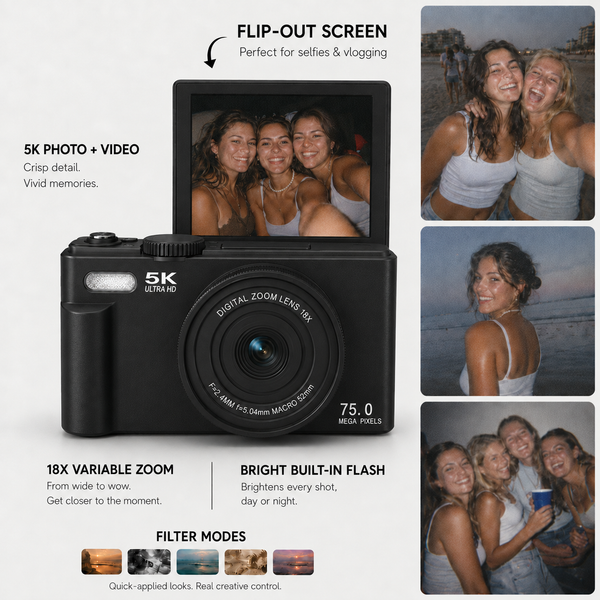
The Q6 Max can save photos at up to 75MP. That is useful when you want to crop in or shoot a big landscape. But if the nostalgic look is what you are after, try turning the image size down in the settings. You get softer, smaller files that feel much closer to the photos of that era, and a few practical bonuses:
- Many more photos fit on the 64GB card
- Transfers to your phone are quicker
- The files are easier to share straight away
There is no single right setting. Try one of the lower options for a night out, keep it higher for a trip where you want detail, and see which you like more when you look back at them. It is your camera and your taste.
2. Play with the built-in filters
The Q6 Max has built-in filters and effects, so you can change the mood without editing anything later. Sepia is the obvious one for an old-photo feel: warm, brown, instantly vintage. Some people shoot a whole event in one filter so the set feels like a single roll of film. Others leave it on standard colour and let the flash do the work. Both are right. Try a couple on the same scene and keep the one that feels like the memory.
DayRoll Q6 Max
The 2000s look, built in
True built-in flash, built-in filters and no processing, plus 75MP when you want the detail. Black, Pearl or Pink.
See the Q6 Max3. Use the flash on purpose, even in daylight
Most people only use flash when it is dark. Try turning it on outside too, especially in shade or at golden hour. It lights faces from the front and separates people from the background, which is a big part of that early 2000s party and holiday look. Indoors and at night, get close. Direct flash from a small camera works best on people near you and fades quickly with distance.
4. Get closer than feels normal
Old digicam photos are close. Faces fill the frame, arms are cut off, somebody is half out of shot. Phones taught us to step back and fit everything in. Do the opposite and the photos immediately feel more like the era.

5. Stop posing, start passing it around
The best photos from that era were never the posed ones. They were the in-between moments: someone mid-laugh, the car ride home, the kitchen at 1am. Hand the camera to someone else for an hour. Use the flip screen for quick, messy group shots rather than perfect selfies.
6. Do not delete on the spot
The blurry one, the one where someone blinked, the one with a thumb in the corner: keep them until the next day. A surprising number of favourites are the "mistakes", and the rough edges are a big part of what makes a set of photos feel like that era.
7. Print a few
A photo feels most like it belongs to that era when you can hold it. Transfer your favourites to your phone and print them on the DayRoll Pocket Printer, which comes with 25 sheets of photo paper. Stick them on the fridge. That is the full early 2000s experience.
A quick settings cheat sheet
| You want... | Try this |
|---|---|
| Maximum nostalgia on a night out | Lower resolution, flash on, get close |
| An old-photo, vintage mood | Sepia filter, flash on |
| Detail for a trip or a landscape | Full resolution, flash off in good light |
| A daytime party look | Flash on, even in shade |
| Moments, not poses | Pass the camera around and do not delete |
Questions we get asked
Will lowering the resolution make my photos worse?
It makes them smaller and softer, which is the point if you want the nostalgic look. If you want to crop in or print big, keep it high for that shoot. It is a setting, not a decision you are stuck with.
Do I need an app or editing to get the look?
No. The Q6 Max works on its own and the look comes straight out of the camera. The filters are built in.
Why do my night photos without flash look blurry?
Any small camera struggles in the dark without flash. Turn the flash on and get closer. That is how photos from that era were taken, and it is also what makes them look the way they do.
Can I use these tips on the Q5 DigiCam?
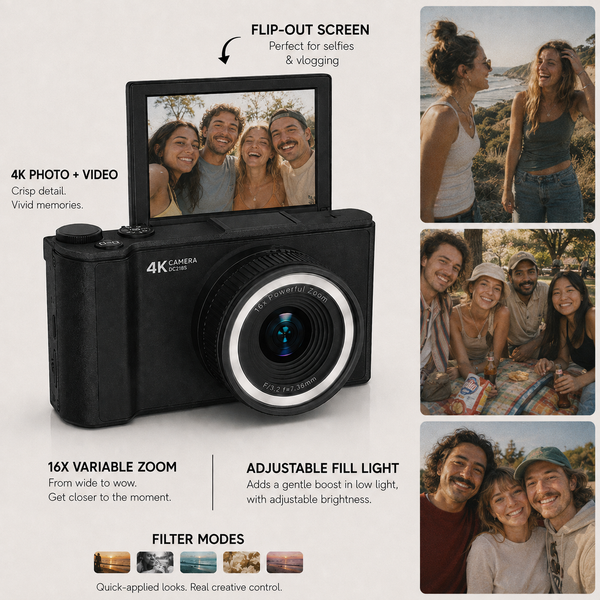
Most of them, yes. The Q5 DigiCam uses an adjustable LED fill light rather than a true flash, so the flash tips are for the Q6 Max. New to all this? Start with what is a digicam.
Want to try it for yourself? Pick your Q6 Max in Black, Pearl or Pink.